 rind
Device battle
How to battle two devices
Two devices, such as an iPad and an Android phone, run the same short rind tests at the same moment. Each test goes to the faster device. The device that takes more tests wins. You need about a minute once both are ready.
Start a battle
Scan this code or open the link on a computer. That page is where you create a new battle.

A finished example
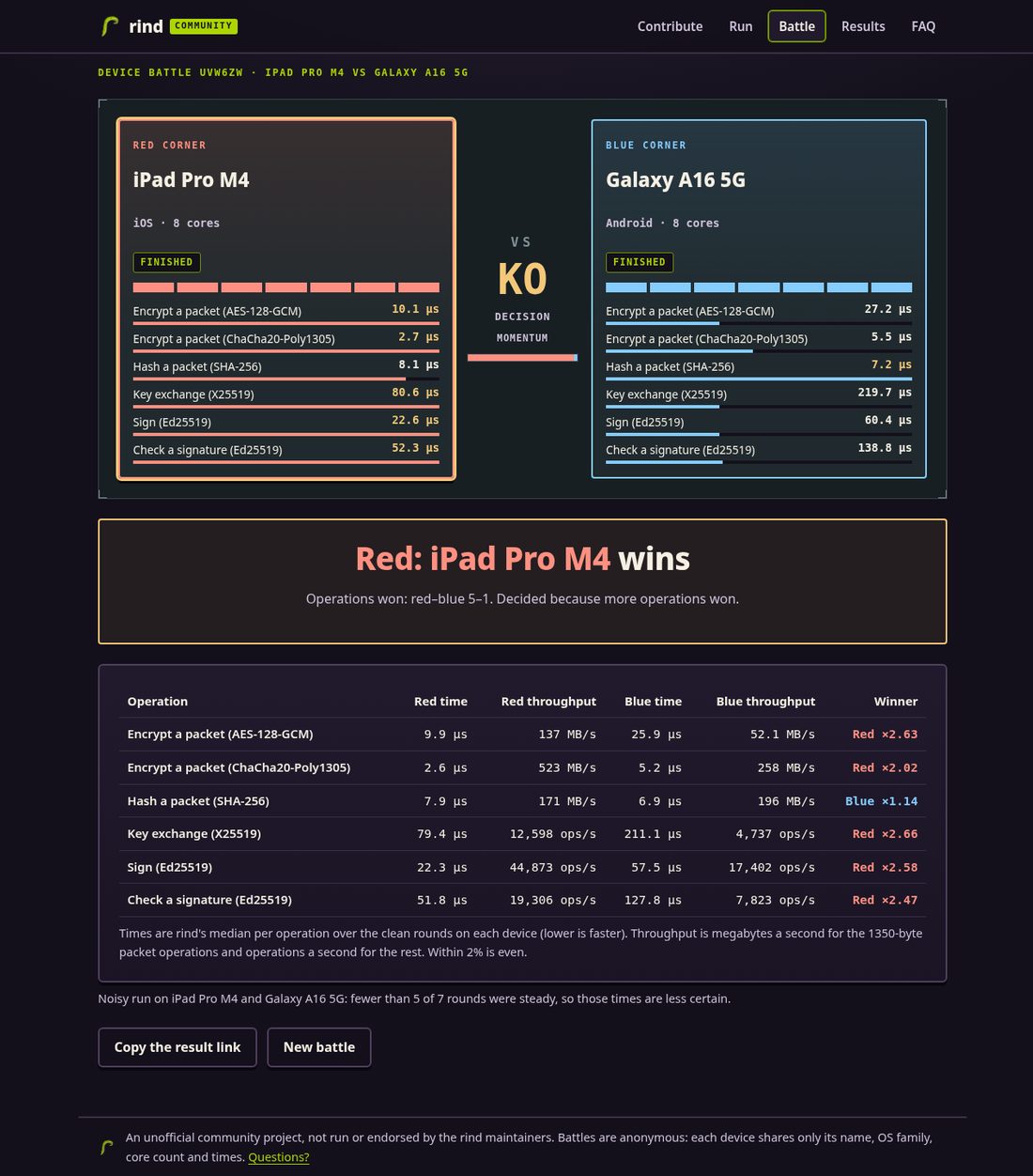
Here is a real battle: an iPad Pro M4 against a Galaxy A16 5G. The screenshot below shows the result. This QR code opens this section.

The steps
-
Create the battle
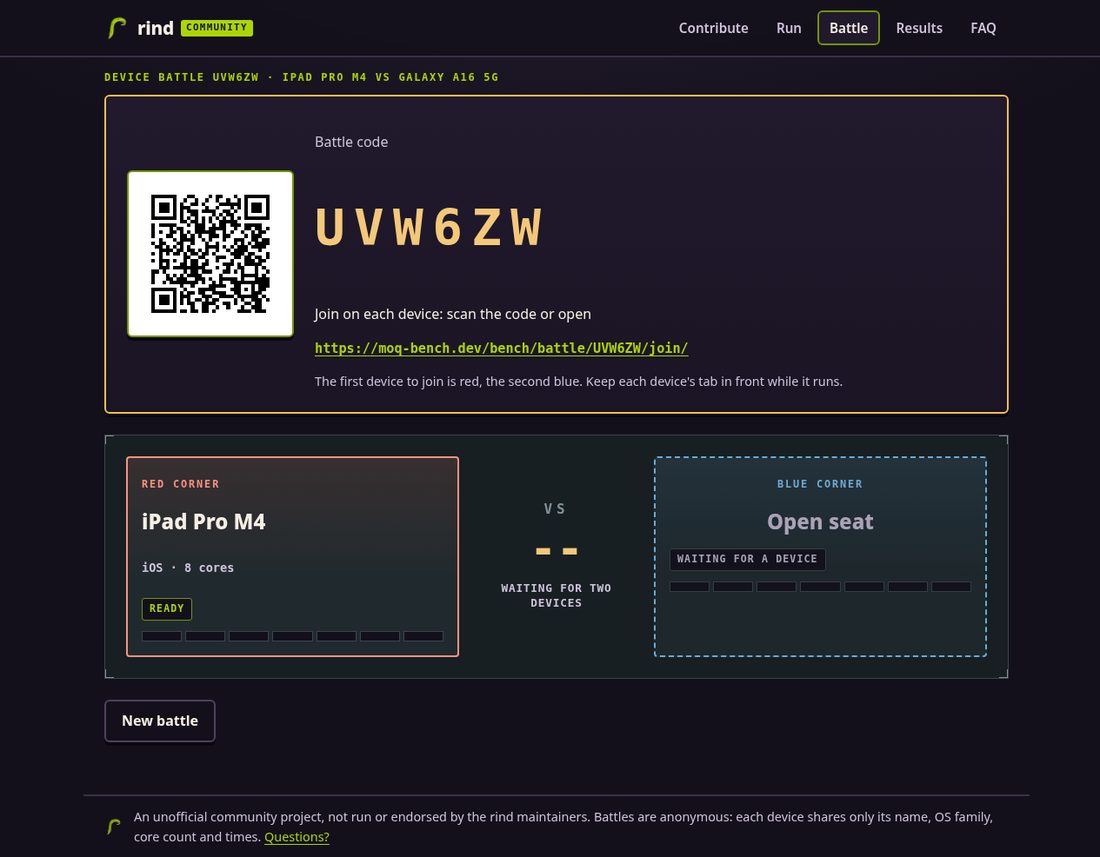
On a computer, open the start page, give it a name if you want, wait for the "are you a person?" check to say Success, then press Create. You get a six-letter code, a QR code, and a page you can watch.
That QR code is for this battle only. Every new battle shows its own join code on screen. Phones should scan that one, not the start-a-battle code above.
-
Join on the iPad (Safari)
Scan the join QR code that appeared, or type the join link in Safari. Name the device (for example, iPad Pro M4), tick I agree, wait for the check to say Success, then press Join. The first device in is red.
-
Join on Android (Chrome)
Open the same join link or QR code in Chrome. Name the device (for example, Galaxy A16 5G), tick I agree, wait for Success, then press Join. The second device is blue.
-
Press Ready on both
On each device, press I'm ready. When both have, they start together after a five-second count.
-
Watch
Keep the battle page open on your computer. You will see both sides run, then the result and the times for each test.
Tips
- Keep each device's screen on, and keep the battle tab in front, until the decision is in. If the tab goes to the background, the run can stall or look noisy.
- The short "are you a person?" check has to finish before Create or Join will work. Wait for Success.
- The run itself takes about a minute.
- Use Safari on the iPad and Chrome on Android. Other browsers may work; those are the ones we tested.
If something goes wrong
- Join will not start: tick I agree, wait for the check to say Success, then press Join again.
- "This battle already has two devices": two devices already joined. Start a new battle.
- It keeps saying it is waiting: the other device has not pressed Ready yet, or its tab is not open.
- The run hangs: bring the tab to the front, keep the screen on, and wait. If one side sits too long (15 minutes), it can lose by running out of time.
- You closed the tab: reopen the join or play link on the same device. If that browser still has the seat, you can continue; otherwise start a new battle.
- To remove a battle you started: use the computer and browser that pressed Create. That browser can delete it from the battle page.
The rest of RindBench
Contribute a run or browse community results from the home page.
